Skip to content
Home

Before you start

  • A card for the trial: it is charged when the trial ends, or straight away if your business already had a trial.
  • Who uses SkedEz: just you (Pro) or a team of up to 20 people (Teams).

Step 1: Open your subscription

Your plan and its limits are in one place.

  1. In a wide window, select Settings, then Subscription.

  2. On a phone or a narrow window, open Account, then Settings and Subscription.

Done when: you see your current plan and its Plan limits.

Subscription on the Free plan: the current plan, Change plan and the plan limits

Illustrative demo data: Studio Lumière is a sample business.

Step 2: Choose a plan and how often you pay

Pro is for one person; Teams is for a team.

  1. Select Change plan.

  2. Pick Monthly or Yearly: a year costs less than twelve months.

  3. Pro is for one professional; Teams is for up to 20 people.

Done when: the plan cards show the prices you want to pay.

Step 3: Start the free trial

Your first trial lasts 15 days on monthly and 30 days on yearly.

  1. On the plan you want, select the button that starts the trial. With Yearly, the button names the longer trial.

  2. If your business already had a trial, the button upgrades straight away and the first payment is taken then.

Done when: a secure payment page opens.

Heads-up

The trial needs a card. You are charged on the day it ends unless you cancel first.
Choose a plan on the Free plan: monthly or yearly, Pro and Teams with their prices and the free-trial button

Step 4: Pay on the secure page

You enter the card on Stripe’s secure page, not in SkedEz.

  1. Your e-mail is already filled in. Enter your card and its billing address.

  2. Prices include any tax. The page shows what you pay today: nothing during a trial.

  3. Confirm there. The page takes you back to SkedEz.

Done when: you are back in SkedEz.

Step 5: Wait for the confirmation

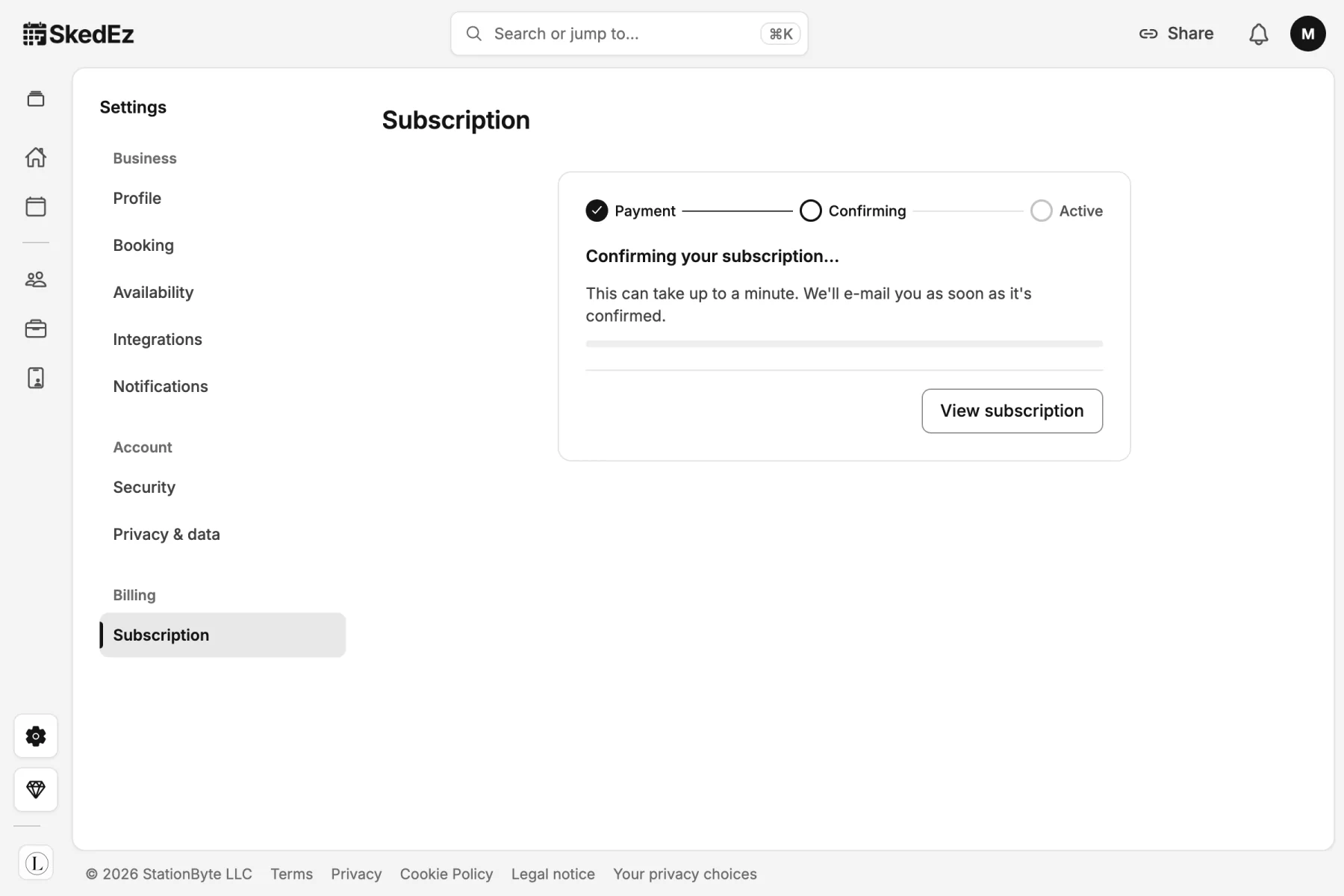
SkedEz confirms your new plan, usually within a minute.

  1. The panel moves from Payment to Confirming to Active.

  2. Stay on this page until it shows Active, or select View subscription to check later. You also get an e-mail once it is confirmed.

Done when: your new plan shows.

Step 6: Check your plan, card and invoices

Everything about your plan stays in one place.

  1. Your plan shows its trial and the day of the first charge.

  2. Payment method shows your card; Invoices lists each payment, the first on the day the trial ends.

  3. Later, select Change plan to switch plan or how often you pay, or Cancel plan to stop.

Done when: your plan, card and next charge look right.

Subscription after upgrading: Pro on its free trial with the end date, the saved card and where invoices will appear

If something looks different

  • You don’t see Change plan.

    Likely cause
    Only the owner and admins can change the plan.
    What to do
    Ask the owner or an admin of the business.
  • The plan button offers no trial.

    Likely cause
    Your business already had its trial: there is one per business.
    What to do
    The plan starts when you pay, and you can cancel it from Subscription at any time.
  • It still says Confirming after a minute.

    Likely cause
    The payment is still being confirmed.
    What to do
    Open Subscription again in a moment. You get an e-mail once it is confirmed.
  • Your business is already on Pro and you want Teams.

    Likely cause
    This is a plan change, not a new start: there is no new trial.
    What to do
    Select Change plan, then Upgrade to Teams, and check the review: Due today is a prorated amount for the rest of the current period, paid when you confirm. If Pro is still in its trial, the review says when that trial ends.
Was this guide helpful?

Found a mistake? Report an error

FAQ

Plan and billing questions

Is there a free trial?

Yes: 15 days on monthly and 30 days on yearly, once per business, with a card. You are charged when it ends unless you cancel first.

Can I change or cancel later?

Yes, from your subscription page: switch plan or how often you pay, or cancel.

What does each plan cost?

Pro costs €9.90 a month or €99.00 a year; Teams costs €14.90 a month or €149.00 a year. Prices include any tax.

Start free, upgrade when you grow

Create your account on Free and move to Pro or Teams from the app.

  • Free plan, no card
  • Pro and Teams: 15-day trial (card required)
  • No commission